Automatic prolongation overview
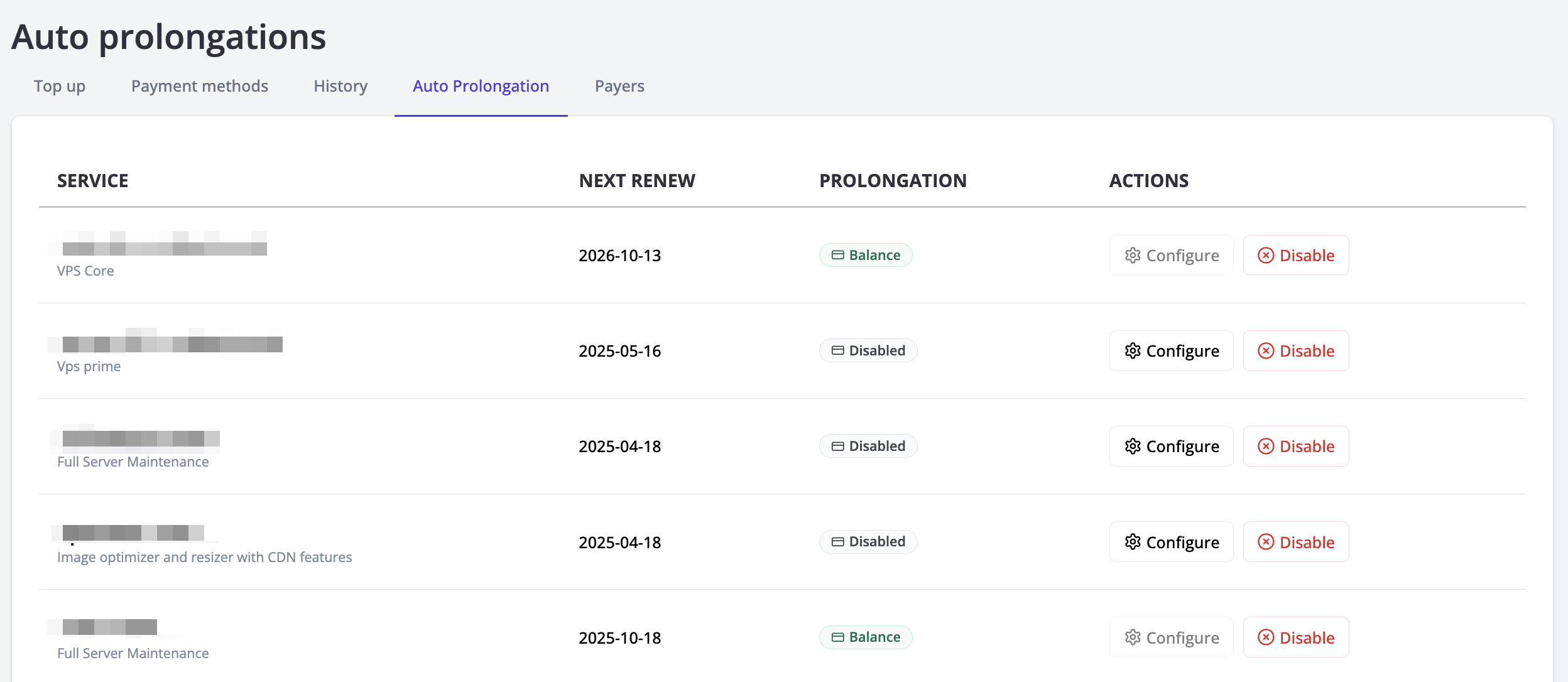
You can configure automatic service renewals in the "Auto Prolongation" tab under the "Payments" section. This page displays all your servers and services with the following details:
- Domain linked to the service or server.
- Service or server tariff.
- Payment expiration date.
- Auto-prolongation status (Enabled/Disabled).
- Payment method (name of the payment method, balance, or manual prolongation for services without auto-prolongation).
- Available Actions:
- Configure auto-prolongation.
- Disable auto-prolongation.
Important: Services with auto-prolongation configured in previous interface cannot be reconfigured — they can only be disabled. You can configure auto-prolongation in only for services where it is disabled or already set up through new interface.
Disabling Auto-Prolongation
To disable auto-prolongation:
- Locate the desired service and click the Disable button.
- Confirm the action in the modal window.
After successful disabling you will see notification. The payment method changes to “Manual Prolongation.”
Configuration
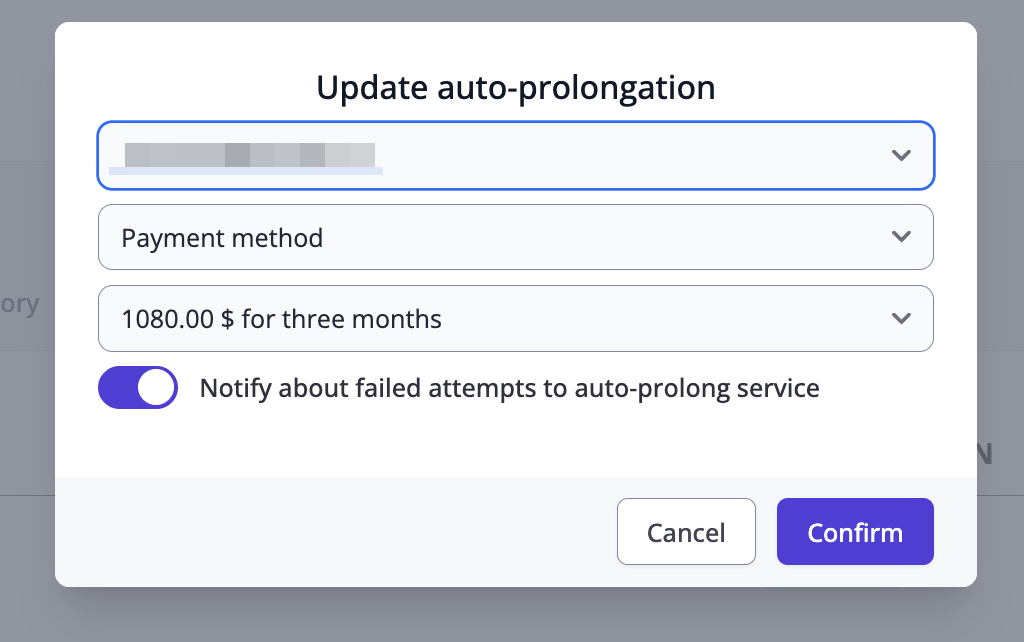
Configuring Auto-Prolongation
To configure auto-prolongation:
- Locate the desired service and click the Configure button.
- In the modal window, fill in:
- Payer
- Payment Method: Choose a saved payment method or account balance.
- Payment Period: Specify the renewal period for the service.
- Confirm or cancel the configuration:
- On cancellation, the current configuration remains unchanged.
How Auto-Prolongation Works
Every day at 00:00 UTC, the system checks services with auto-prolongation if: - Auto-prolongation is enabled. - The payment method is active. - The payer is active.
In case every requirement is fine, system will try to auto-prolong service. After successful payment service will be prolonged. After failed payment system will try again after 24 hours. After three failed attempts auto-prolongation will be deactivated.
Auto-Prolongation with PayPal provider
For Auto Prolongation with PayPal provider, you need to configure payments on the PayPal side. We will not ask you your payment method information for setting up auto prolongations with PayPal. For these reasons, auto prolongations with PayPal provider is only available for manual setting up. Process of checking payment status is the same as for other payment methods.